CRM Setup for Small Business: Your 2026 Guide

A CRM setup for small business is the process of configuring a customer relationship management system around your specific sales pipeline, data fields, and team workflows. Done right, it centralizes every customer interaction, eliminates the chaos of spreadsheets, and gives your team a single source of truth. The payoff is real: businesses that move past manual tracking and into a dedicated CRM stop losing leads to disorganized follow-up and start closing deals faster. This guide walks you through every stage, from preparation to adoption, so your CRM works from day one.
What does a small business need before CRM setup?
Most CRM implementations fail before anyone logs in. The failure happens in the planning stage, or the lack of one. Getting your prerequisites right takes a few hours and saves weeks of rework.
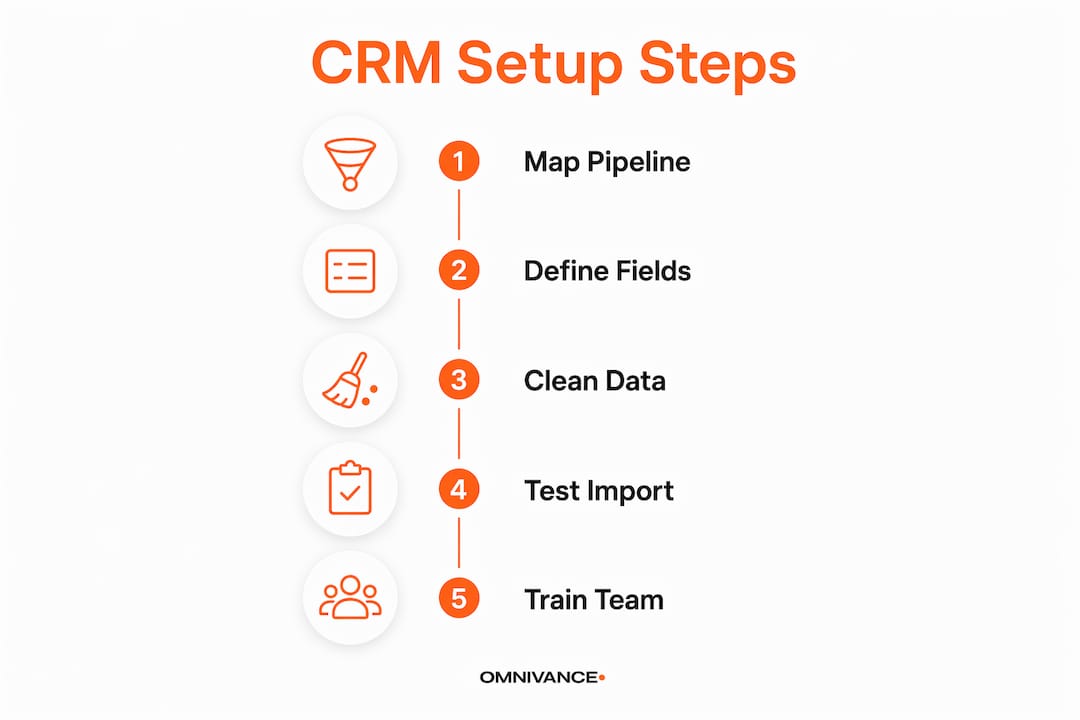
Map your actual sales pipeline first. Write down every stage a lead goes through, from first contact to closed deal. Be honest about what your team actually does, not what you wish they did. Limit your pipeline to 5–7 stages to prevent over-engineering. More stages create confusion and slow data entry.

Define only the fields you will use every day. A common mistake is building a CRM that looks impressive but nobody fills in. Start with 10–12 data fields maximum. Every additional field slows entry and creates friction that kills adoption.
Here are the core prerequisites to complete before you touch any software:
- Identify your data sources. List every place customer data currently lives: email inboxes, spreadsheets, business cards, invoices.
- Clean your data before import. Standardize phone number formats, fix company name inconsistencies, and remove dead contacts. Clean, deduplicated data makes filtering, automation, and reporting work correctly from the start.
- Assign a CRM owner. This person is responsible for data quality, user questions, and keeping the system current. Without a designated CRM owner, usage and data reliability degrade within weeks.
- Define required workflows. Know which automations you need before selecting software. Picking the tool first is one of the most common and costly mistakes small businesses make.
Pro Tip: Write your pipeline stages and required fields on a single sheet of paper before opening any CRM software. If it does not fit on one page, you have too much.
How to execute a step-by-step CRM setup for your small business
A well-configured small business CRM can be production-ready in a single day when your pipeline is mapped in advance. Follow these steps in order and you will have a working system before the end of the week.
-
Create your pipeline stages. Enter the 5–7 stages you mapped during preparation. Name them after real actions, such as "Initial Contact," "Proposal Sent," and "Contract Signed," not vague labels like "In Progress."
-
Configure user accounts and roles. Add every team member who will touch the CRM. Assign roles that match their actual responsibilities. A salesperson needs different access than a manager reviewing reports.
-
Connect your email account. Email and calendar sync delivers the highest impact of any single integration by eliminating manual communication logging. Setup takes minutes and immediately improves data completeness.
-
Import contacts in small batches. Start with 50–100 records to verify that your field mappings are correct. Batch importing protects against mapping errors that would otherwise require hours of manual fixes across your full contact list.
-
Apply tags and segments after import. Group contacts by lead source, industry, or deal size immediately after import. Consistent tagging makes filtering and targeted follow-up possible from day one.
-
Create your first deals and tasks. Move your active leads into the pipeline. Attach a follow-up task to every open deal so nothing sits without a next step.
-
Set up one simple automation. Start with a task reminder that fires when a deal sits in a stage for more than three days. One working automation builds confidence and shows the team what the system can do.
-
Test mobile access. Open the CRM on your phone and complete a real task. If it is clunky on mobile, your field team will not use it.
Pro Tip: Do not import your full contact list on day one. Run the 50–100 record test, fix any field mapping issues, then import the rest. Skipping this step is the single fastest way to create a data mess.
The table below shows a realistic timeline for each setup phase:
| Phase | Task | Time Required |
|---|---|---|
| Day 1 AM | Map pipeline, define fields, clean data | 2–3 hours |
| Day 1 PM | Configure accounts, connect email, set pipeline stages | 2–3 hours |
| Day 2 | Test batch import, fix mappings, full import | 2–4 hours |
| Day 3 | Create deals, add tasks, build first automation | 1–2 hours |
| Day 4 | Team walkthrough, mobile test, go live | 1–2 hours |
How do you train your team and build CRM habits?
Configuration is the easy part. Consistent team usage is where most small business CRM solutions succeed or fail. The difference between a CRM that gets abandoned and one that becomes indispensable is habit, not features.
Write a one-page CRM playbook. Document exactly what each team member should log, when they should log it, and what the pipeline stages mean. Keep it to one page. A long manual gets ignored; a single reference sheet gets used.
Train through shadow usage, not demos. Active practice drives adoption; watching a demo does not. Sit with each team member and have them complete real tasks in the CRM during training. Log an actual contact, move a real deal, and set a live follow-up task together.
The habits that keep a CRM alive are simple and repeatable:
- Monday pipeline review. Every week, the team reviews open deals, updates stages, and confirms next steps. A weekly pipeline review keeps data fresh and surfaces stuck deals before they go cold.
- Daily logging. Every call, email, and meeting gets logged the same day. Logging the next day leads to gaps; logging a week later leads to guessing.
- Friday updates. Each team member closes the week by updating deal stages and setting tasks for Monday. This takes five minutes and prevents the Monday scramble.
- Clear role ownership. The CRM owner reviews data quality weekly, not monthly. Catching a bad data entry habit in week one is easy. Fixing three months of bad data is not.
Pro Tip: Never position the CRM as a reporting tool for management. Frame it as a personal productivity tool that helps each salesperson close more deals. Adoption follows self-interest.
The biggest mistake small businesses make is treating the CRM as a place to store data for the boss's reports. That framing kills buy-in. When each team member sees the CRM as their own deal-tracking assistant, they use it without being told to.
How do you integrate your CRM and keep it improving?
A CRM connected to your other tools does more work with less manual effort. The right integrations also reveal data patterns that a standalone system never could. For a deeper look at how CRM email integration drives better conversions, the connection between your inbox and your pipeline is where most of the value lives.
The integrations that deliver the most value for small businesses are:
- Email and calendar sync. Every sent email and scheduled meeting logs automatically. This alone eliminates the most common source of missing contact history.
- Web forms. Connect your website contact forms directly to the CRM so new leads appear as contacts automatically, without manual entry.
- Marketing automation. Link your email marketing tool to the CRM so campaign engagement, such as opens and clicks, appears on each contact record. This context helps sales conversations. For teams exploring follow-up automation, connecting CRM data to outreach sequences is a practical next step.
- Notification tuning. Set alerts only for high-priority triggers, like a deal moving to the proposal stage or a task going overdue. Too many notifications train your team to ignore all of them.
Pro Tip: Schedule a 30-day CRM review with your CRM owner. Look for fields nobody fills in, stages where deals always stall, and automations that fire incorrectly. Remove anything that is not being used. A leaner CRM gets used more.
After 30 days, you will have real usage data. Use it. Remove fields that are consistently blank. Collapse pipeline stages that nobody distinguishes between. The goal is a system that reflects how your business actually works, not how you imagined it would work on day one.
Key Takeaways
A successful CRM setup for small business requires clean data, a defined pipeline, a designated owner, and consistent weekly habits before any advanced features matter.
| Point | Details |
|---|---|
| Prepare before you configure | Map pipeline stages and define fields before opening any software. |
| Keep the pipeline simple | Limit stages to 5–7 and data fields to 10–12 to drive adoption. |
| Assign a CRM owner | One person responsible for data quality prevents system decay within weeks. |
| Import data in batches | Test with 50–100 records first to catch field mapping errors before full import. |
| Build weekly habits | Monday reviews and daily logging make the CRM a live tool, not a static database. |
What I have learned about CRM success for small businesses
The most common reason a small business CRM fails is not the software. It is the assumption that configuration equals completion. I have seen businesses spend days customizing every field and workflow, then watch the whole system go unused within a month because nobody built a daily habit around it.
The businesses that get real value from their CRM share one trait: they start with less than they think they need. Five pipeline stages. Ten fields. One automation. That minimal setup gets used consistently, and consistent use generates the data that tells you what to add next.
The CRM owner role is not optional. Every system I have seen succeed had one person who cared about data quality. Every system I have seen fail had nobody in that role. It does not require technical skill. It requires someone who checks the data weekly and asks why a field is blank or why a deal has not moved in two weeks.
The weekly rhythm matters more than any feature. A Monday pipeline review takes 20 minutes and keeps every deal visible. Without it, the CRM becomes a place where data goes to age. With it, the CRM becomes the center of your sales process. Start simple, build the habit, and add complexity only when the simple version is working well.
— laya
How Omnivancemedia can set up your CRM the right way
Setting up a CRM correctly the first time saves weeks of rework and months of bad data.
Omnivancemedia handles the full process: pipeline design, data migration, email and marketing tool integration, and team training. The result is a working CRM built around your actual sales process, not a generic template. Omnivancemedia's clients skip the trial-and-error phase entirely and go live with a system their teams actually use. If you are ready to implement a CRM that connects to your broader marketing and sales operation, explore CRM setup and automation services or review the full services catalog to see how CRM fits into a complete growth strategy.
FAQ
What is CRM setup for a small business?
CRM setup is the process of configuring a customer relationship management system to match your sales pipeline, data fields, and team workflows. A properly configured CRM centralizes customer data and automates follow-up tasks.
How long does it take to set up a small business CRM?
A production-ready CRM can be live in a single day when the pipeline is mapped and data is cleaned in advance. Full team adoption typically takes two to four weeks of consistent daily use.
How many pipeline stages should a small business CRM have?
Limit your pipeline to 5–7 stages. More than 8 stages creates over-engineering that slows data entry and reduces the accuracy of your pipeline reports.
When should a small business switch from spreadsheets to a CRM?
Switch when manual weekly updates exceed 2 hours or when team members start overwriting each other's data. Both signals mean your spreadsheet has outgrown its usefulness as a customer management tool.
What is the biggest reason small business CRMs fail?
CRM failures most often come from over-engineering the system, skipping a weekly usage rhythm, and having no designated data owner. Simplicity and consistent habits matter more than features.